
 Stefan Vaskevich
Hi3D V3.0 brings geometry at 2048³ voxel resolution and textures up to 8K to image-to-3D generation. The release focuses on fine surface detail, cleaner colour and consistent structure across viewing angles. It entered our blind Arena on August 13.
We start with what changed in V3.0 and a closer look at its output. Then we compare it with Meshy 7, Rodin Gen 2.5, Lychee Gen 2 and other models through side-by-side examples and the final August Arena results.
What Hi3D changed in V3.0
Hi3D describes four main changes in this release:
Geometry at 2048³ voxel resolution. A high-precision representation aimed at complex curved surfaces, small raised details and sharp edge transitions. This is the change the company credits when a model holds up under close inspection.
Textures up to 8K. Higher-resolution maps are intended to keep colour detail clear at close range instead of smearing.
Rebuilt UV completion. Surfaces hidden from the reference image are a common source of colour artefacts. Hi3D says its revised algorithm targets these occluded regions.
Improved structural consistency. Hi3D reports more accurate, stable structures when the model is viewed from different angles, including sides the source image never showed.
Our August generation records put the Quality outputs at roughly two million triangles, with 8K textures. These are large assets, so budget for a separate optimisation pass if your destination is a game or a lightweight viewer.
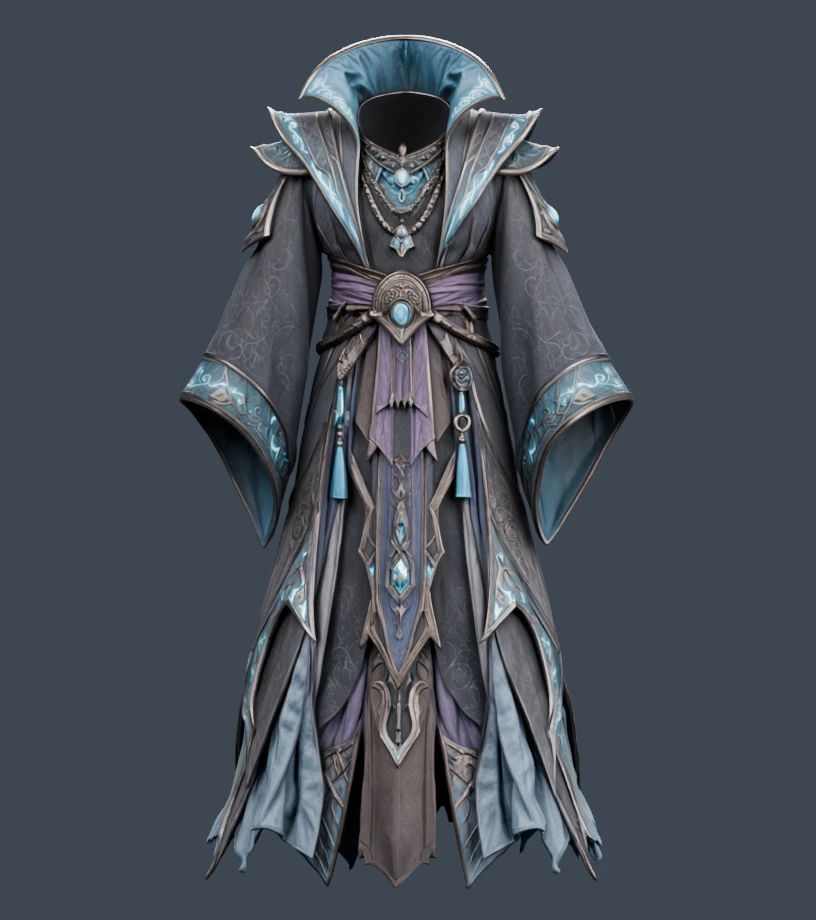
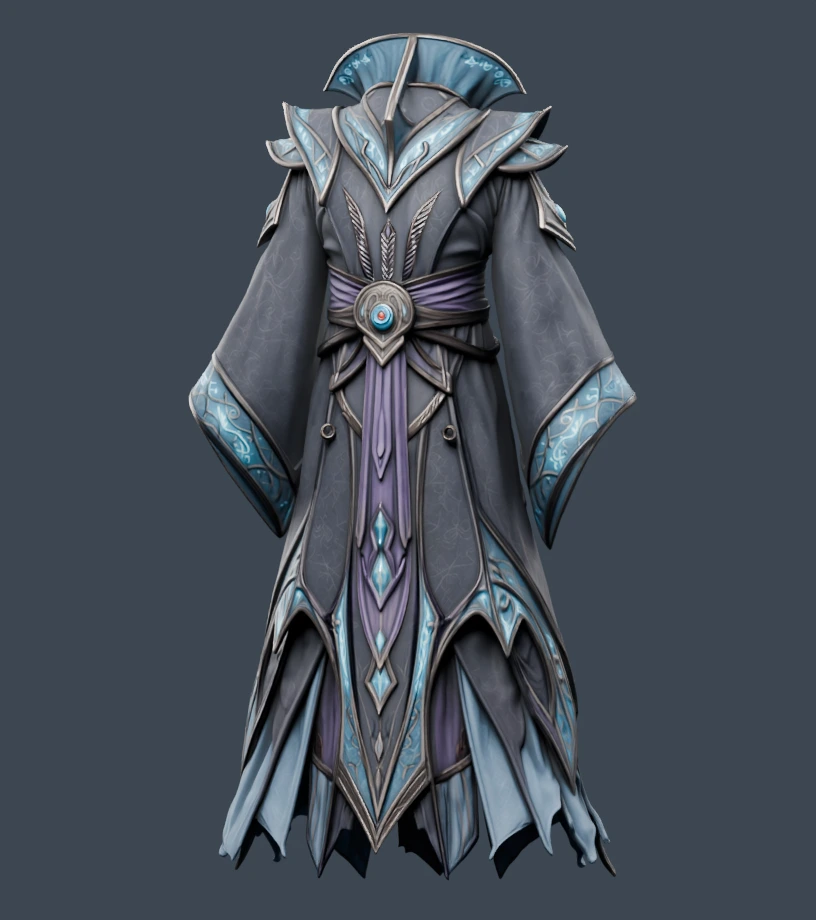
MultiView on a detailed costume
This fantasy costume was generated from four reference images: front, back, left and right. Hi3D V3.0 used the 2048quality setting and produced about 1.98 million triangles with 8K textures.
How V3.0 performed in the Arena
Hi3D V3.0 finished its debut month on both Main Arena podiums: #2 in Geometry and #3 in Textured, in a field of 20 models. Geometry was its stronger mode, with 350 wins from 562 blind votes.
Geometry
1,211 ELO
562 blind votes · 62% overall win rate
Textured
1,099 ELO
872 blind votes · 58% overall win rate
These results cover Season 10, August 1–31, 2026, with Hi3D entering on August 13. The comparisons below highlight V3.0’s strongest results across the two modes.
1. Hi3D against Meshy, Rodin and Lychee
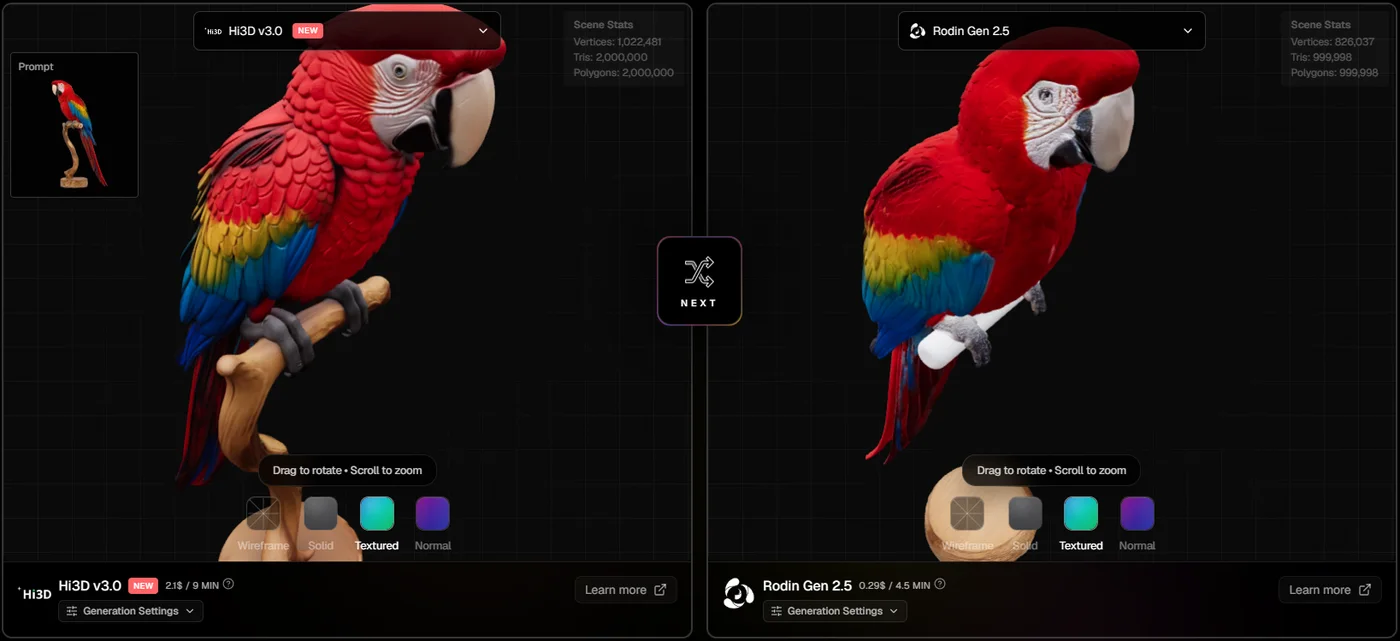
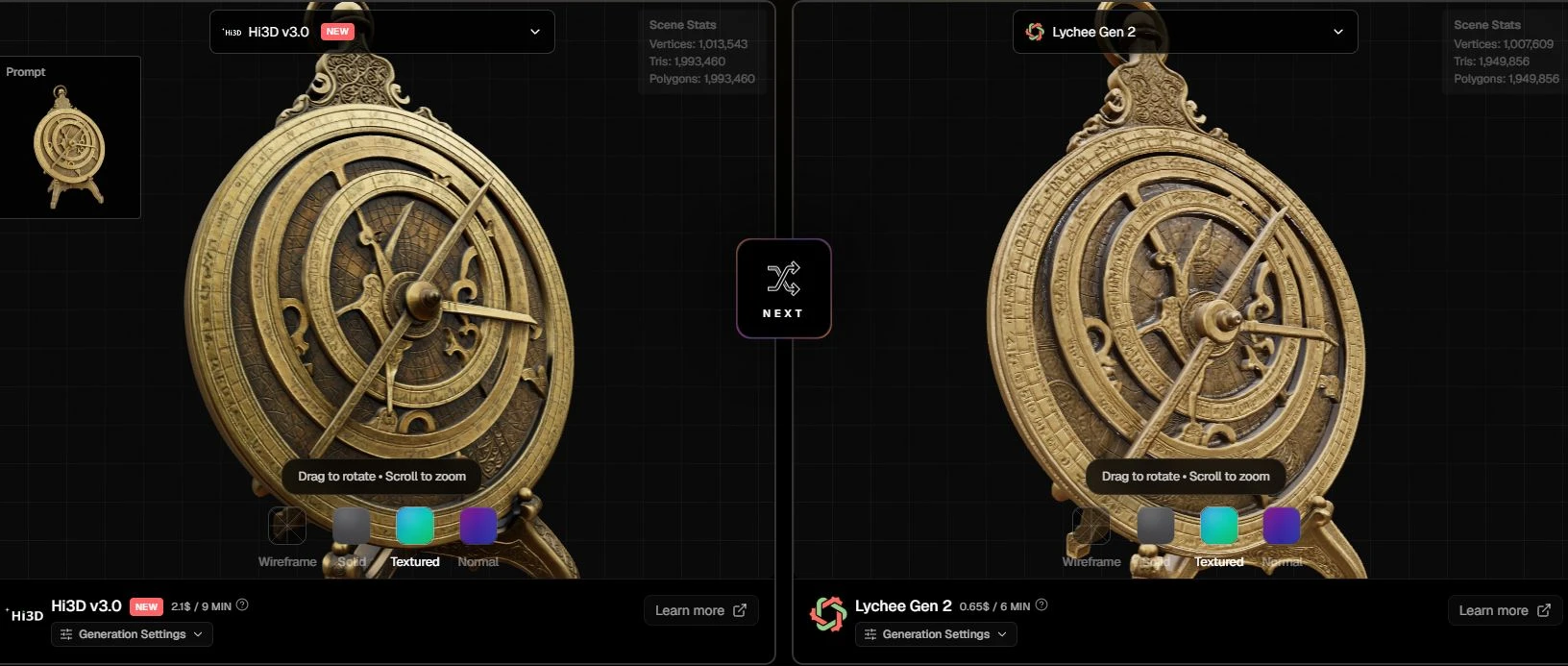
Meshy 7, Rodin Gen 2.5 and Lychee Gen 2 all finished in the August Textured top five, with Meshy also taking #3 in Geometry. Hi3D won a majority of its direct Geometry votes against Meshy and Rodin, and its Textured votes against Lychee.
Meshy 7
Final rank: #3 Geometry · #4 Textured
Geometry
Hi3D V3.0 win rate
Rodin Gen 2.5
Final rank: #2 Textured
Geometry
Hi3D V3.0 win rate
Lychee Gen 2
Final rank: #5 Textured
Textured
Hi3D V3.0 win rate
Ranks are the competitors’ final Season 10 positions. Each win rate is Hi3D’s result against that one model in the named mode. Rodin’s top-five position is in Textured; Hi3D’s favourable result against it is in Geometry.
Lychee Gen 2 adds a Textured-specific result: Hi3D won 57% (24/42). Its Geometry result against Lychee was 44% (11/25), so that comparison belongs to the texture story. Open comparison →
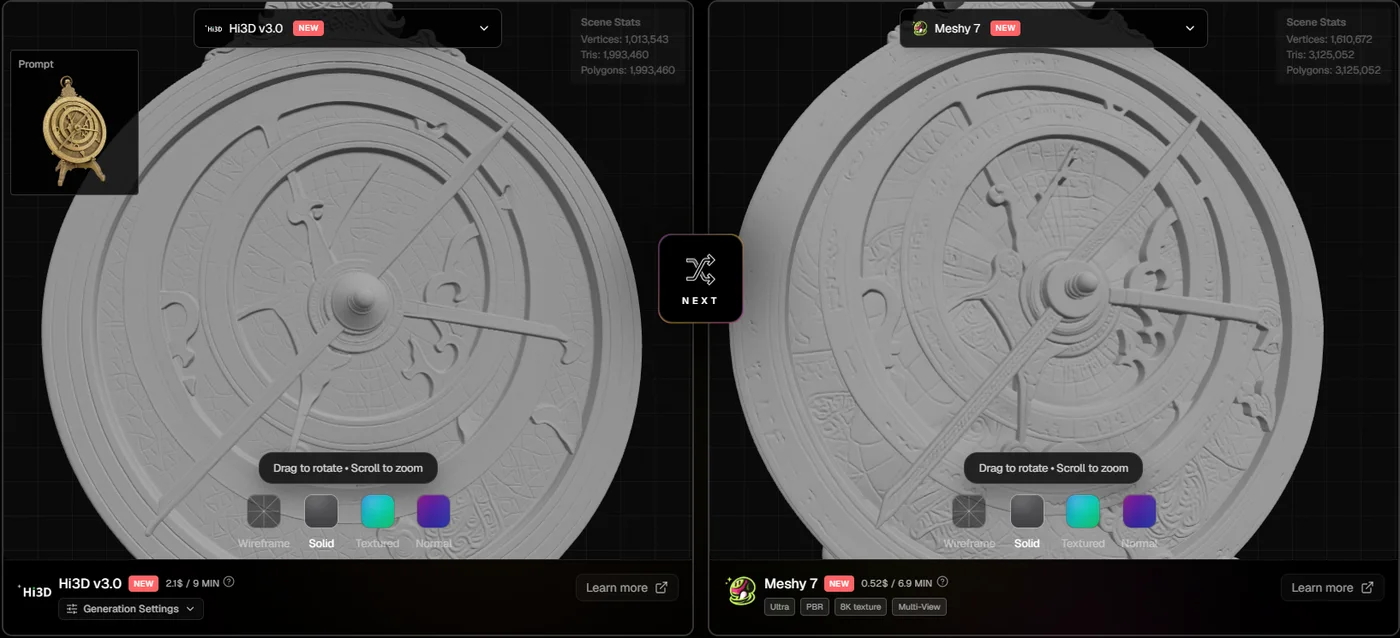
For a close-up prop or a high-poly source for baking, turn textures off before deciding. Check whether lettering and grooves exist in the mesh, whether thin parts remain attached, and whether the silhouette survives rotation. These are useful inspection criteria; the Arena does not measure printing success, retopology time or production readiness.
ELO follows results across the whole opponent field and accounts for opponent ratings. A final rank and a direct pair win rate answer different questions. V3.0 placed above Meshy 7 overall in Textured even though it won 43% of their direct Textured votes.
2. More comparisons across both modes
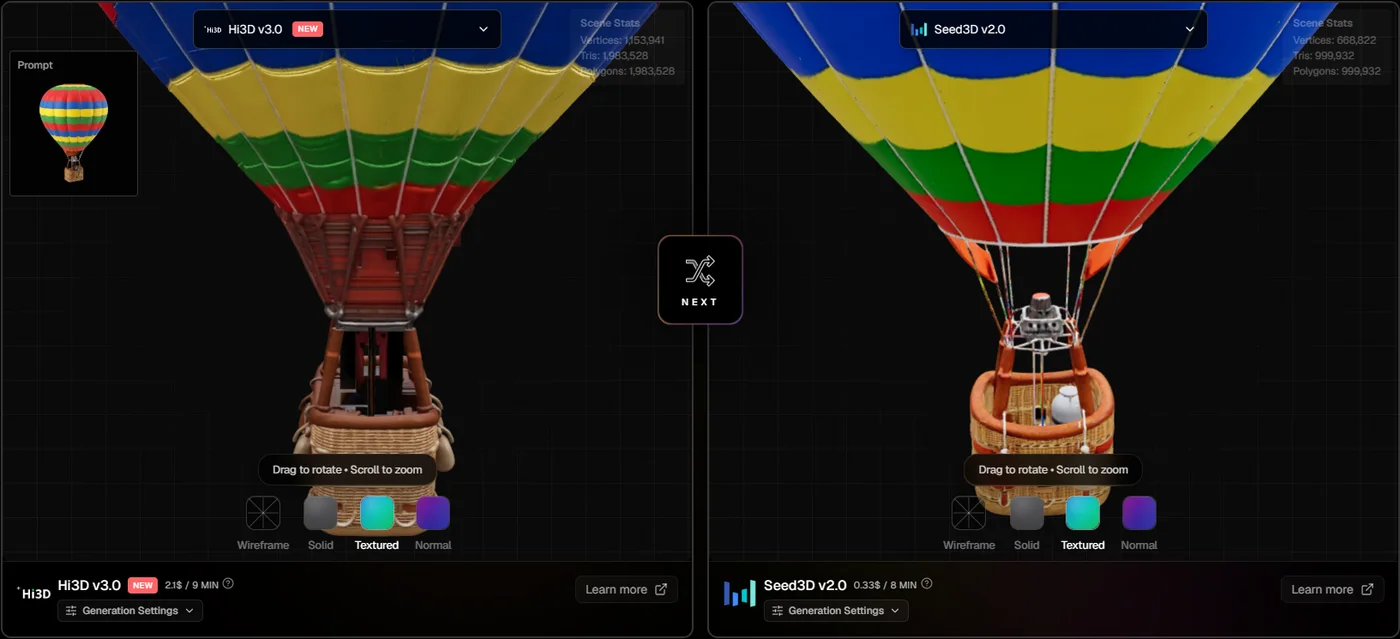
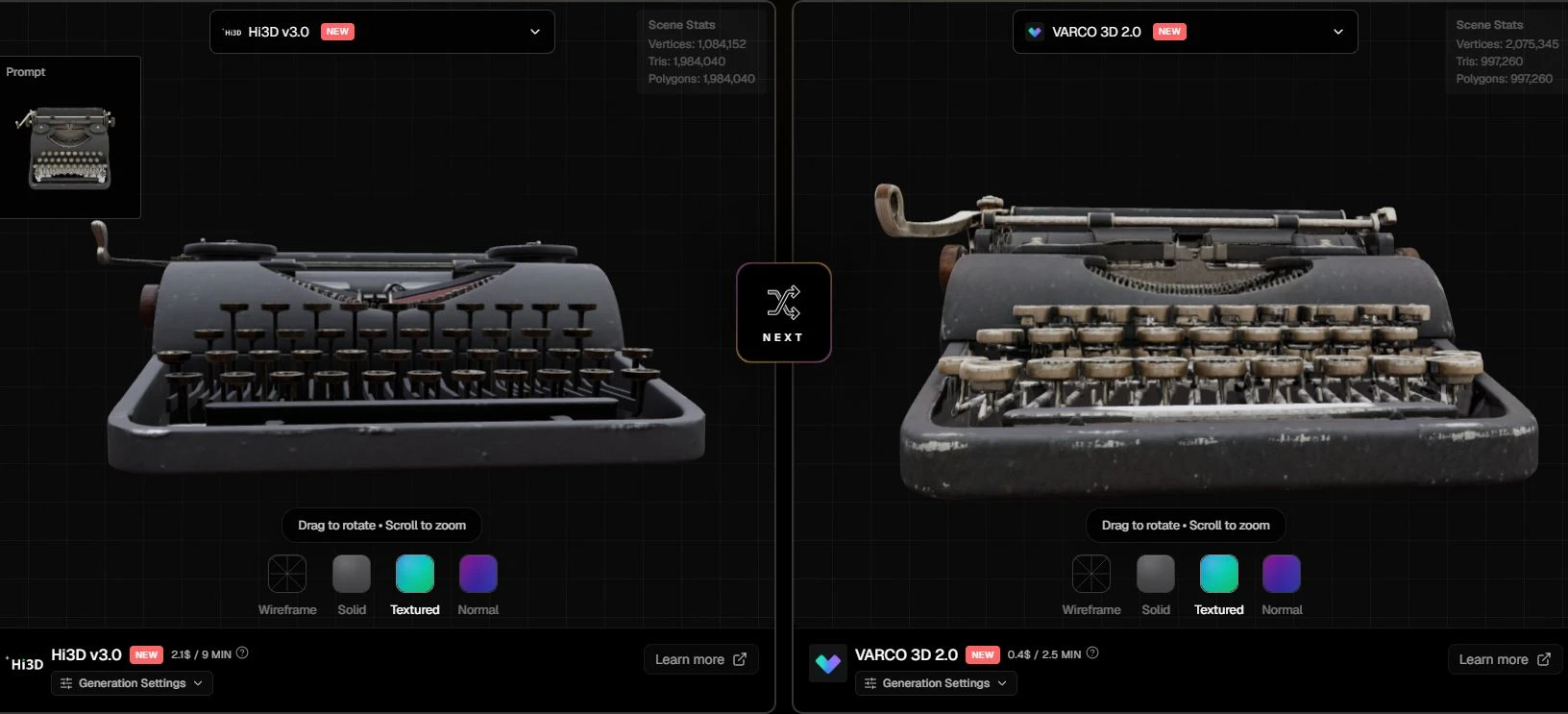
Against TRELLIS.2, Wonder3D, Triverse 3.0, VARCO 3D 2.0 and Sloyd AI v3, Hi3D won a majority of votes in both modes. The wider margins came against Wonder3D in Geometry and Triverse in Textured. Seed3D was a closer pairing.
| Compared with | Textured | Geometry |
|---|---|---|
| TRELLIS.2 | 70% 28/40 | 74% 14/19 |
| Wonder3D | 69% 31/45 | 88% 28/32 |
| Triverse 3.0 | 77% 37/48 | 69% 20/29 |
| VARCO 3D 2.0 | 68% 38/56 | 78% 21/27 |
| Sloyd AI v3 | 72% 28/39 | 60% 15/25 |
| Seed3D v2.0 | 54% 35/65 | 53% 25/47 |
Counts below each percentage are wins / total votes for that pair and mode. Samples range from 19 to 65 votes in this table. Small leads, especially the 54% / 53% against Seed3D, are tentative; these figures do not establish a statistically certain winner.
3. The step forward from Hi3D V2.1
The comparison with Hi3D’s own previous version is positive in both modes: V3.0 took 70% of Textured votes (26/37) and 64% of Geometry votes (18/28) against V2.1. In the final standings, V2.1 was #9 in Textured and #6 in Geometry; V3.0 reached #3 and #2.
Open comparison: Hi3D V3.0 / V2.1 →
Anthro Lucario, V3.0 on the left and V2.1 on the right. Compare the gold trim and colour transitions, then switch to Solid to inspect the underlying mesh. The pair shows the combined output of each version, not an isolated test of its texture algorithm.
4. What these numbers measure
Textured voting judges the complete textured result. Geometry voting hides textures to focus on shape and surface detail. In blind battles, tool names are hidden until the vote is cast. The August benchmark used a fixed set of 119 prompts; Hi3D’s pool covered 117 of them. Each tool used its documented quality settings, so settings and polygon counts can differ.
Head-to-head win rate is wins divided by votes for one opponent and one mode, rounded to the nearest whole percent. The overall figures, 58% Textured (504/872) and 62% Geometry (350/562), use all of Hi3D’s August votes in each mode. These are vote counts, not counts of unique people. ELO comes from the closed season snapshot.
The screenshots illustrate individual outputs; season win rates combine votes across prompts.
How the Arena ELO ratings work
The August results put V3.0 on the shortlist for detailed geometry, with broad gains over V2.1 and positive comparisons against several alternatives. Open a pair above, rotate the models, and check the details your own asset needs. To generate from your own reference, use Hi3D directly.
Try your own image on Hi3D →

