Stefan Vaskevich
Tools used in this article

You type "a person performs a spinning martial arts kick" and get a usable animation, on your own machine, with no Python environment and no network call. That is Kimodo, NVIDIA's motion diffusion model, and someone has ported it to C++ and GGML so it runs on Vulkan or on a plain processor in under 2 GB of memory.
I spent a day installing it from scratch on Windows, generating clips, and pushing them onto Mixamo rigs and into Unreal Engine. This guide is everything I learned, including the two things that cost me the most time and are not in any README: which models you are actually allowed to use, and why the whole thing is bound by your disk rather than your graphics card.
1. What Kimodo is, and what the C++ port changed
NVIDIA released Kimodo in March 2026. It is a kinematic motion diffusion model trained on 700 hours of commercially licensed optical motion capture, and it turns text prompts and sparse kinematic constraints into 3D human and humanoid-robot motion. It ships across three skeleton formats: NVIDIA's own SOMA parametric body, the Unitree G1 humanoid robot, and SMPL-X.
The original release is a PyTorch project. You needed the full CUDA stack standing up before you could generate a single clip, which is a real barrier for anyone whose machine is set up for 3D work rather than for machine learning.
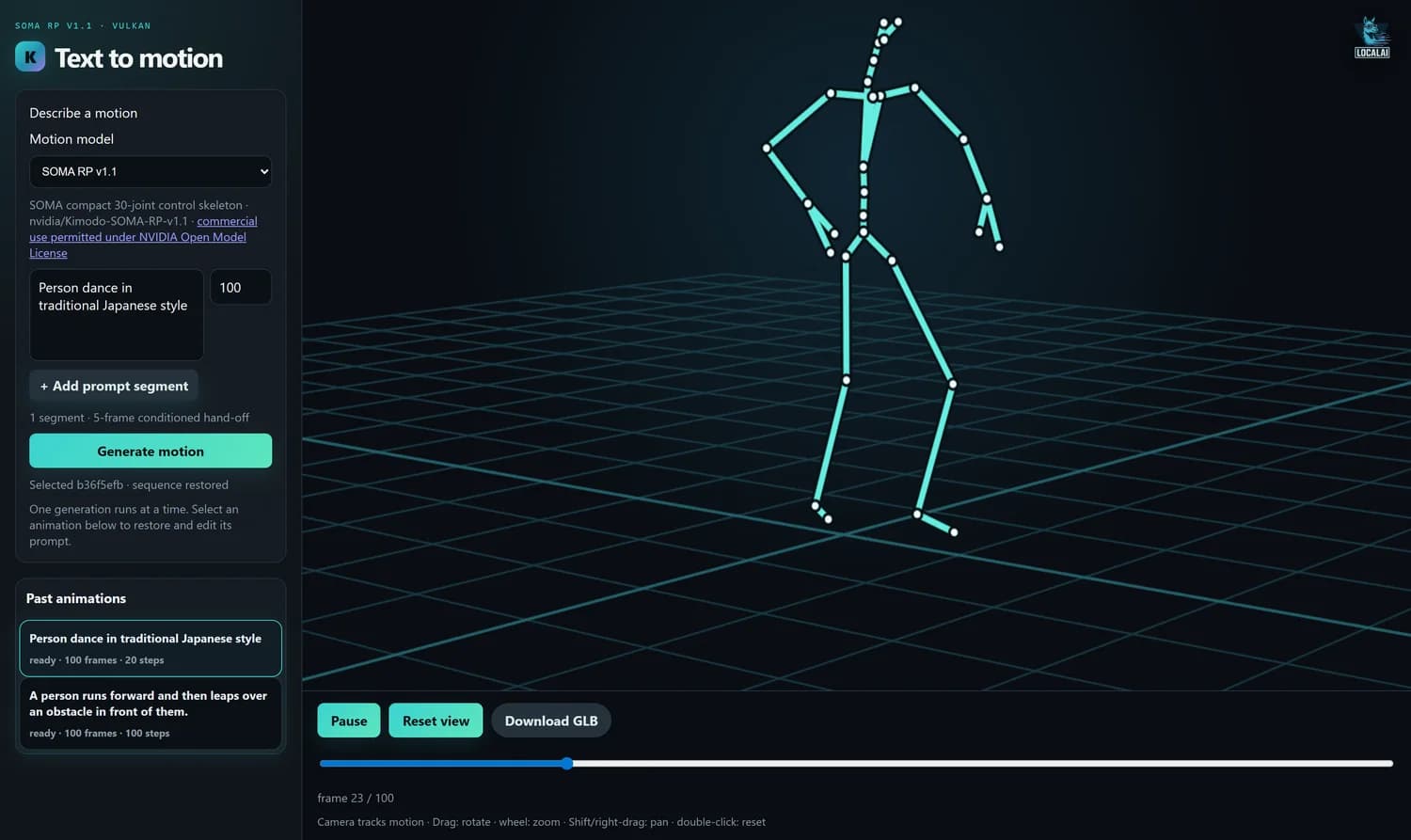
kimodo.cpp is a native C++ and GGML port. It loads GGUF weights, runs on Vulkan or on the processor, and ships a small local web interface. No Python at generation time, no CUDA, no network. That is the whole story, and it is a bigger deal than it sounds, because it moves Kimodo from "a thing ML people run" to "a thing that opens on your workstation".
2. The licence situation, which changed on 26 August
This is the part most write-ups have wrong, because it moved recently and it moved in both directions at once.
The port originally shipped converted SMPL-X weights. Those were withdrawn. The author noticed that the upstream NVIDIA licence on that particular checkpoint explicitly forbids distributing derivative models, and pulled the GGUF, the manifest and the checksums. The model card that replaced them says so plainly rather than leaving a mystery 404 behind, which I appreciate more than I expected to.
At almost the same moment, four other checkpoints went up under a completely different licence, and support for them landed in the port.
| Model | Skeleton | Licence | Commercial use |
|---|---|---|---|
| SOMA RP v1.1 | SOMA, 30 joints | NVIDIA Open Model | Permitted |
| SOMA SEED v1.1 | SOMA, 30 joints | NVIDIA Open Model | Permitted |
| G1 RP v1 | Unitree G1, 34 joints | NVIDIA Open Model | Permitted |
| G1 SEED v1 | Unitree G1, 34 joints | NVIDIA Open Model | Permitted |
| SMPL-X RP v1 | SMPL-X, 22 joints | NVIDIA Internal Scientific R&D | Research only |
The interface is honest about this, which I did not expect from a weekend port. Pick a model and it tells you which licence you are under before you generate anything.

3. What hardware you actually need
The requirements are low, and low in a way that is worth understanding rather than just reading off a table.
| Resource | Minimum | Comfortable |
|---|---|---|
| Free disk | 25 GB | 35 GB, on an NVMe drive |
| System RAM | 4 GB | 32 GB, and see section 5 |
| VRAM, GPU path | 1.2 GB | 2 GB |
| CPU | 2 cores | 6 cores |
Peak memory stays under 2 GB in every configuration, GPU or processor. The dial is KIMODO_TEXT_LAYER_CHUNK, and the number it takes is layers, not gigabytes: chunk 2 costs 1.2 GB of VRAM, chunk 4 costs 1.8 GB, and the default chunk 8 costs 3.5 GB. Raising it does not make anything faster, because the encoder is read once per run at any chunk size.
There is a hard floor at about 1.3 GB. The embedding table is a single 1.05 GB allocation that cannot be split at any chunk size, so below that the program cannot start at all.
4. Installing it on Windows
The project documents Linux. Windows works, and the CMake file has an explicit MSVC branch, but there are four places you can lose an hour. Here is the short version, and the full walkthrough is a download at the end of this section.
Install the toolchain, then open a new terminal
Git, Visual Studio Build Tools with the C++ workload, the Vulkan SDK, and Go if you want the web interface.
winget install Git.Git
winget install Microsoft.VisualStudio.2022.BuildTools --override "--quiet --wait --norestart --add Microsoft.VisualStudio.Workload.VCTools --add Microsoft.VisualStudio.Component.VC.CMake.Project --includeRecommended"
winget install KhronosGroup.VulkanSDK
winget install GoLang.Go
The VC.CMake.Project component is not optional. Without it you get a compiler but no CMake and no Ninja, and nothing in the resulting error mentions that. Then close every terminal: the Vulkan installer sets VULKAN_SDK machine-wide and an already-open terminal will never see it.
Clone with submodules
git clone --recurse-submodules https://github.com/localai-org/kimodo.cpp
cd kimodo.cpp
GGML is a submodule. A plain clone leaves it empty, and downloading the repository as a ZIP does not work at all for the same reason.
Apply two source fixes, then build
Add #include <stdexcept> to src/denoiser.cpp, src/generate.cpp and src/llm_tokenizer.cpp, and change path.c_str() to path.string().c_str() in src/llm_text_encoder.cpp. Both are correct on every platform and just have not been merged upstream. Then, from a terminal where vcvars64.bat has run:
cmake -S . -B build-win -G Ninja -DCMAKE_BUILD_TYPE=Release -DKIMODO_ENABLE_VULKAN=ON -DKIMODO_BUILD_TESTS=OFF
cmake --build build-winDownload the weights
The text encoder is shared by every model, so it is a one-time 15.2 GB download. Each motion model is only about 1.13 GB on top.
pip install huggingface_hub
hf download LocalAI-io/Llama-3-Kimodo-GGML --local-dir . --include "generated/llm2vec-text-bundle/*"
hf download LocalAI-io/Kimodo-SOMA-RP-v1.1-GGML --local-dir . --include "models/*"
Adding all four open-licence models costs about 4.5 GB, not four times 17, because the encoder is shared.
hf download with --include matches nothing and exits successfully. No error, no files, exit code zero. My setup script reported a clean run and I only noticed the missing model when generation failed. Always check that the .gguf actually landed in models\.Every command, both source fixes with the exact errors they prevent, all the environment variables, and a troubleshooting table that maps each symptom to its real cause. Written after doing this on a machine with no compiler installed at all.
kimodo-windows-setup.md5. Generating your first clip
The command line is positional, and the GGML DLLs live in the build tree's bin folder rather than next to the executable. Miss that and the program exits instantly with no output, which looks exactly like a crash but is Windows failing to load a DLL.
set PATH=%CD%\build-win\bin;%PATH%
build-win\kmd-generate.exe models\kimodo-soma-rp-v1.1-f32.gguf generated\llm2vec-text-bundle prompt.txt 90 20 41 out
That is 90 frames at 30 fps, so three seconds, with 20 denoising steps and seed 41. For the web interface instead:
go run ./demo -addr 127.0.0.1:8094 -generator build-win/kmd-generate.exeTwo numbers decide the quality of what you get. Frames stays coherent up to about 300, or ten seconds. At 400 the clip develops jitter and at 600 it collapses into noise after roughly frame 300. Counter-intuitively, shorter clips come out punchier: the same prompt at 120 frames reads as sharper and more athletic than at 300, because the model fills the extra time rather than repeating the action harder.
Steps is the denoising count, and 20 works for both drafts and finals. Cost is linear, so 100 steps costs five times as much for no visible gain. The bundled interface currently hardcodes 100 in demo/index.html, which is worth changing to 20 before you do anything serious with it.
On my machine, a Ryzen 7 7800X3D with 31 GB of RAM and the weights on a SATA SSD, a three-second clip took 399 seconds. Of that, roughly 380 seconds was disk reading and 10 seconds was CPU. The RTX 4070 SUPER sat idle throughout. The drive was delivering 40 MB/s, and 15.2 GB at 40 MB/s is 380 seconds. The arithmetic closes exactly.
Two fixes, in order of effect: put the weights on an NVMe drive, and free up RAM before you generate. The encoder needs roughly 16 GB of free file cache to stay resident, and a 32 GB machine with a browser and a chat client open only has about 7 GB of it, so it behaves like a 16 GB machine.
6. Getting the motion onto a real rig
Generating is the easy half. The reason this port is interesting to a 3D artist rather than to a researcher is that the output drops onto a normal character rig with very little fighting.
The web interface has a Download GLB button. The demo server builds the glTF itself, so you get a file that opens in Blender with a bone hierarchy and keyframes already in place. For most work that is the whole answer, and it skips every format detail below.
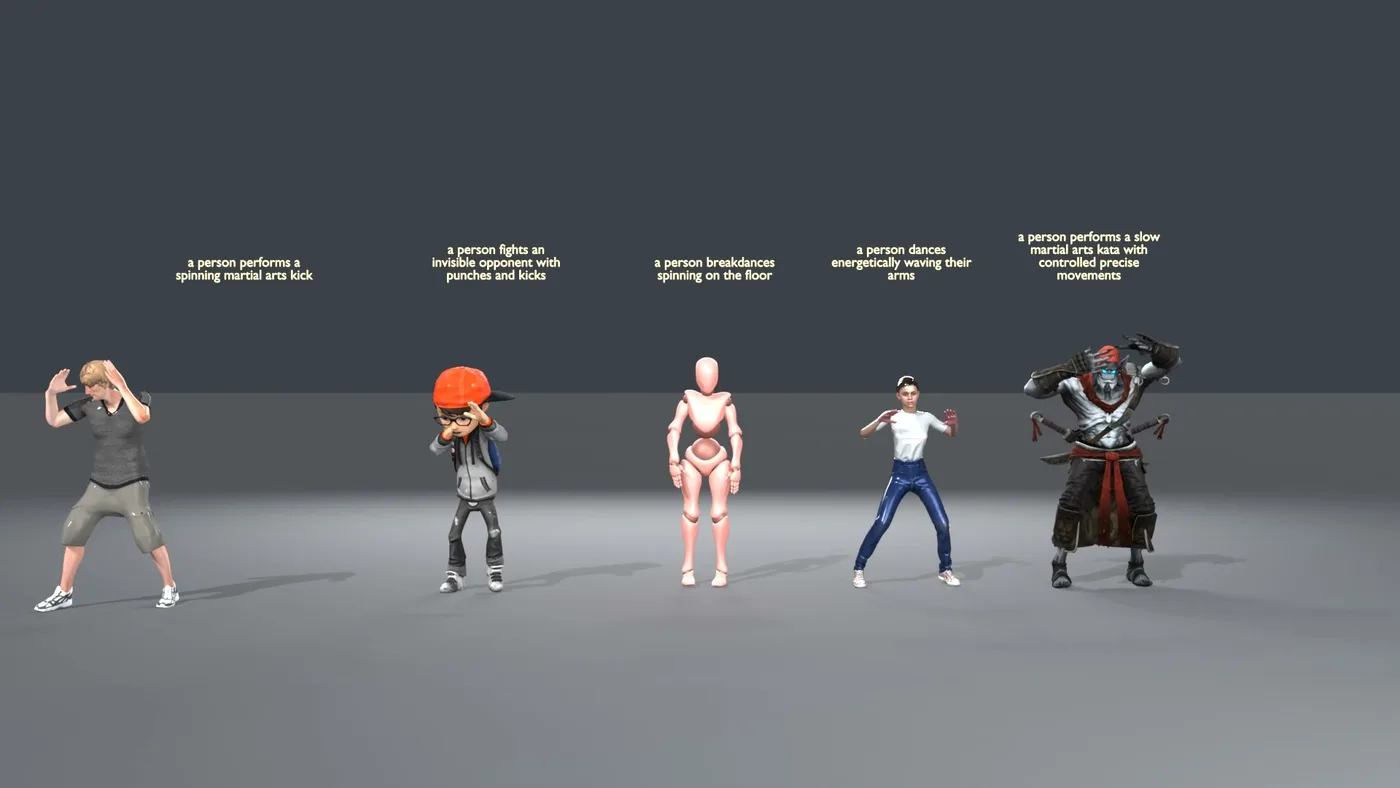
This is where SOMA turns out to be a lucky break. It does not use the SMPL-X naming convention at all. Its 30 joints are named Hips, Spine1, LeftShoulder, LeftForeArm and so on, which is almost exactly Mixamo's convention. Most bones map by adding the mixamorig: prefix and nothing else.
LeftLeg is the thigh. Mixamo's mixamorig:LeftLeg is the shin. The correct mapping is SOMA LeftLeg to mixamorig:LeftUpLeg, and SOMA LeftShin to mixamorig:LeftLeg. A prefix-only map gives you a character whose knees bend from the hip, and it is the first thing to check when a transfer looks wrong.For Unreal I stopped doing it by hand. There is a two-script tool below that takes a clip folder and leaves you a baked Anim Sequence on the mannequin, and it handles all three skeletons without any configuration because the joint count identifies which one you have.
Clip to file, on your desktop
Pure Python 3.8 or newer. No Blender, no packages. Point it at the folder Kimodo wrote and you get a .glb.
python kimodo_to_glb.py path/to/clip
python kimodo_to_glb.py clips/* --outdir glb
It verifies its own output before writing: it rebuilds the pose from the file it just made and compares that against the input, so a wrong axis or a quaternion in the wrong component order is caught here rather than three steps later in Unreal. The number it prints should be around 1e-08.
File to character, inside Unreal
Open the Output Log, switch the input box at the bottom from Cmd to Python, and paste:
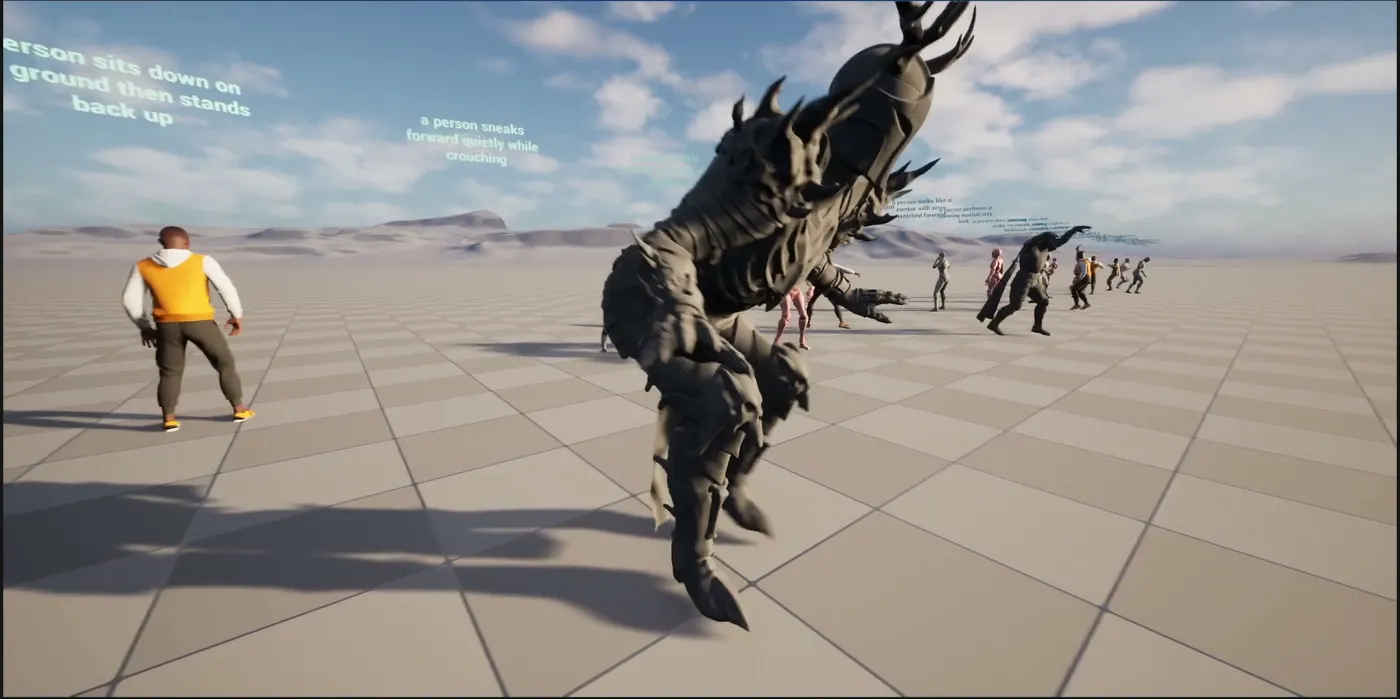
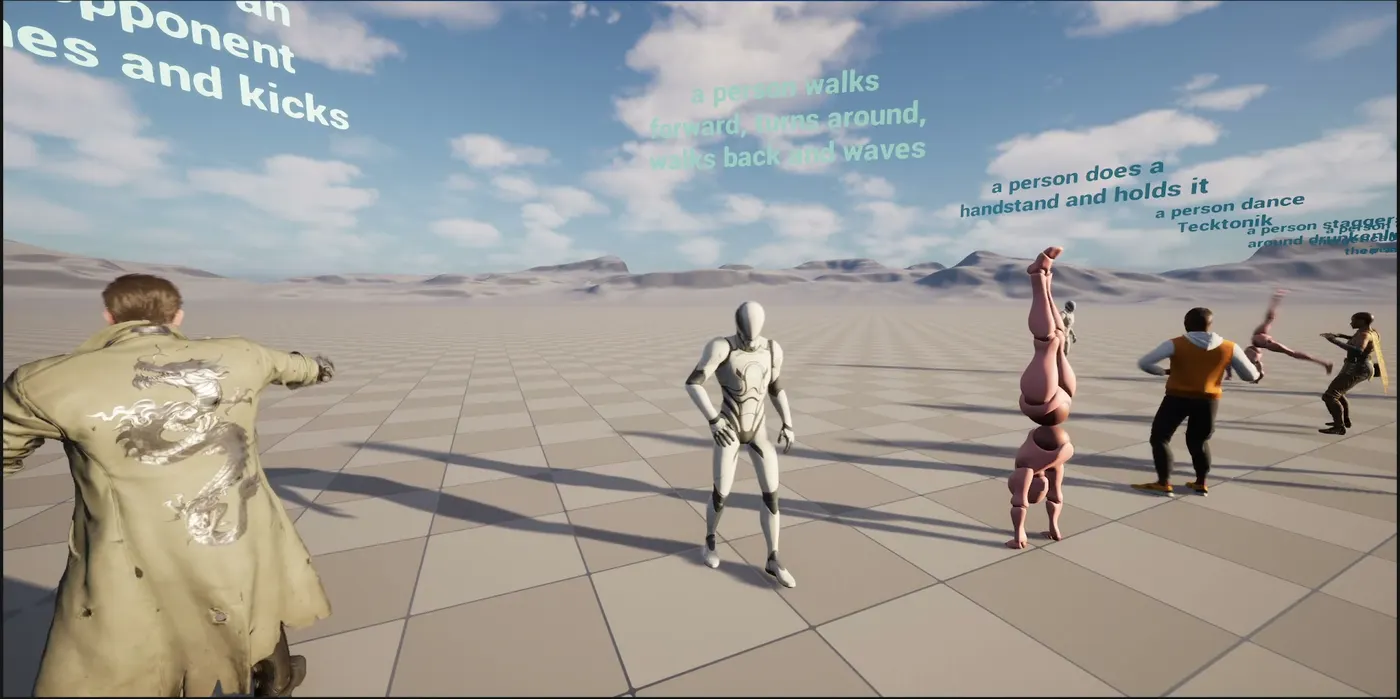
py "C:/path/to/unreal_retarget.py" "C:/path/to/walk_150.glb"That imports the file, builds the IK Rig and the IK Retargeter, applies the two corrections below, bakes, and leaves an Anim Sequence at /Game/Kimodo/Retargeted/. Drop the mannequin in your level, set Animation Mode to Use Animation Asset, pick the sequence. Pass several paths to batch them, or a Skeletal Mesh path last to target a different character.
It reports on every clip rather than leaving you to eyeball it:
kick_120: SMPL-X, 22 joints
    9 chains mapped, 19 left at rest (Root, LeftThumb, ...)
    reach 102 cm to 95 cm, arms corrected by up to 48 deg
    arms match 0.998 (worst lowerarm_r), pelvis 93 cm, lowest toe -1 cm,
    travelled 123 cm over 4.0 s
arms match is how closely the character's arms point where the source's arms pointed, sampled through the clip. Above 0.95 is good. lowest toe should be near zero: much above and the character floats, much below and it sinks.
The rest poses disagree. The mannequin rests in an A-pose, Kimodo does not. Left alone the retargeter reads that gap as motion and the arms sit wrong for the whole clip. The script measures both and cancels it per arm segment, parent before child. It is usually worth 45 to 55 degrees.
local_rotations_xyzw.f32 at [FRAMES, JOINTS, 4] and root_positions.f32 at [FRAMES, 3]. The published format table says 22 joints, and that is SMPL-X only. SOMA is 30 and G1 is 34.A 90-frame SOMA clip is exactly 90 x 30 x 4 x 4 = 43,200 bytes. Read it with a 22-joint stride and you get no exception, no warning, and an animation that looks like the rig is having a seizure. Derive the joint count from the file size rather than hardcoding it.
The two scripts, an example clip so you can test the Unreal half without generating anything first, and the notes: the full 30-joint SOMA hierarchy with parent indices, the complete Mixamo name map including the bones that do not map cleanly, the quaternion order gotcha, and the Blender procedure.
Recap
| Stage | Cost | Notes |
|---|---|---|
| Toolchain install | ~30 min, ~3 GB | Build Tools, Vulkan SDK, Go |
| Build | ~2 min | Two one-line source fixes first |
| Weights | 15.2 GB + 1.13 GB each | Encoder shared across all models |
| Generation, warm | ~20 s of compute | Plus disk streaming, see section 5 |
| Retarget to Mixamo | Minutes | Name map plus the leg fix |
The headline is not that a text-to-motion model exists. It is that this one now runs on hardware you already own, under a licence that lets you ship the result, and lands on a Mixamo rig in an afternoon. The part that surprised me most is that the bottleneck is a disk read, not a graphics card, which means the cheapest upgrade for anyone doing this seriously is an NVMe drive rather than a better GPU.
If you want the rest of the pipeline that feeds into this, we have guides on the full AI 3D character pipeline, AI rigging for non-humanoid characters, and HY-Motion, the other text-to-animation model worth knowing.